Feedback in.
Fixes out.
Feedloop answers your visitors, opens pull requests that fix what they report, and refunds small PayPal orders within limits you set. Bigger refunds wait for your one-tap approval.
One script tag · 5-minute setup
NewTry the PayPal demo store
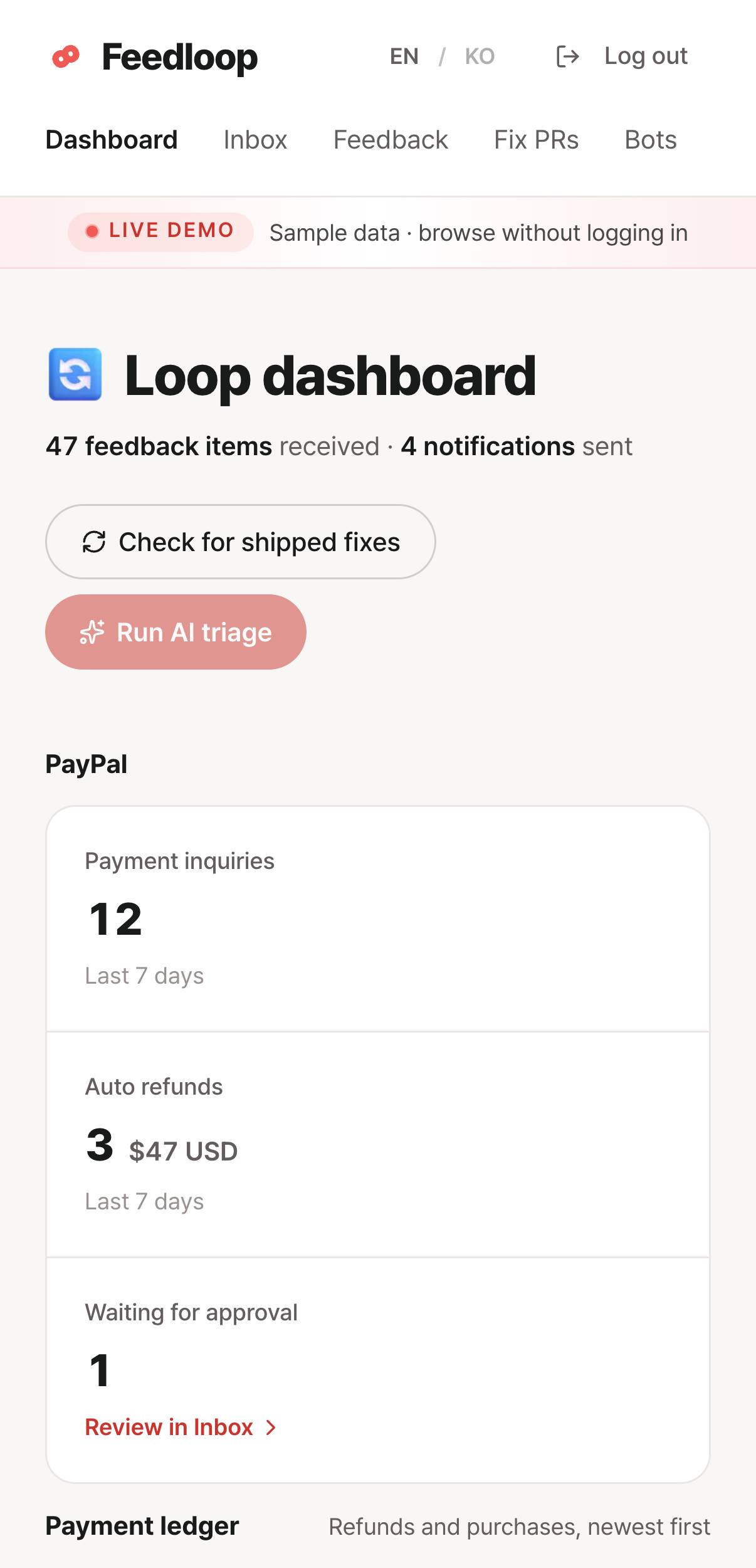
Real product screens · sample data
Feedback keeps piling up,
but nothing gets fixed
It isn't that you won't fix it. You can't keep up.
Customers are already telling you. The problem is what happens next.
Product feedback gets buried under support tickets
You clear the urgent tickets first and the day is gone.
Similar feedback piles up and never gets sorted
It grows in a jumble, and later you can't tell where to start.
Even after you fix it, the customer who reported it never finds out
Nobody tells them it was fixed.
From one comment to a shipped fix
Four steps, one closed loop.

Feedback
Customers leave it in the Feedloop chat widget on your site. AI answers right away and hands off to you when it doesn't know.
AI triage
Sorted into bug, UX issue, feature request, or question. Similar reports are grouped automatically.
Fix PR
It reads your repository, writes the fix, and opens a pull request. A person reviews and merges it.

Notification
The person who reported it gets "Fixed." By email too, if they left one.
Try Feedloop
Talk to the Feedloop chat widget.
Walk the whole loop yourself, from AI triage to the fix PR and the customer notification.
From a customer's one-liner to a fix that comes back
11 steps · we point out where to click
Everything here is a scripted copy · no requests leave your browser
Get Feedloop running
Three steps and you are done.

Enter your product name and URL, and your bot is ready.
<script src="…/widget.js" data-feedloop="bot ID" async></script>Once it is in, the Feedloop chat widget appears on your site.
Choose a GitHub App install, your own token, or a shared account. It needs write access to Contents and Pull requests; build-status read access is optional.
FAQ
The seven questions we get most.
I don't have a support chat. How do I collect feedback?
Feedloop gives you one. Enter your product name and URL, paste one script line, and the chat widget starts taking messages.
Do I need to know how to code?
If you can paste one script line into your site, you're set. Receiving messages and AI triage work without a repository. Fix PRs need a connected repository.
Does the AI change our code on its own?
No. Feedloop stops at opening a pull request. A person reviews it and decides whether to merge. It needs write access to Contents and Pull requests; read access to deployments and build status is optional.
How much does it cost?
Free during the beta. With your own API key there's no daily limit and you pay only that key's API fees. Without a key, up to 100 messages a day run on ours. The Starter, Pro and Agency plans on the pricing page are a PayPal sandbox demo store for the hackathon. No real money moves.
What if the AI answers wrongly?
It doesn't answer what it doesn't know. It hands the conversation to you. You can edit the knowledge it answers from in the dashboard at any time, and changes apply from the next conversation.
What does "Pick on screen" send?
Two things. First, details about the element the customer pointed at: its type and visible text, a selector and position to find it again, an HTML outline with the text removed, and the page URL. Emails and token-like strings are masked before saving. Second, when capture works, a picture of that part of the page. Only the Feedloop widget is hidden, so other things on screen, including typed values, can appear. Only your team can open it, through links that expire after 10 minutes. It never goes to the AI, PRs or emails, and it's deleted after 90 days (within two days if the customer removes it before sending).
We already use Channel Talk (a live-chat service).
Connect Feedloop to Channel Talk. You don't need a new chat widget: messages that arrive in Channel Talk are triaged the same way, and the notification goes back through Channel Talk when the fix ships.
Add Feedloop to your product
Setup takes five minutes. When a fix ships, Feedloop notifies the person who reported it.